How to Write Comments In HTML?
| Tag | Description |
|---|---|
| <table> | table tag defines a table |
| <tr> | This tag stands for table row |
| <th> | This tag defines a header cell in a table. th stands for table
header. By
default, the text in <th> elements are bold and centered, but
you can
change that with CSS. |
| <td> | This tag defines a cell in a table. td stands for table data. |
| <caption> | This tag defines the table caption. The main use of a caption is to provide a description about the data presented in a table. |
| <colgroup> | This tag specifies a group of one or more columns in a table for formatting. |
| <col> | This tag is used with <colgroup> element to specify column properties for each column. |
| <tbody> | This tag is used to group the body content in a table. |
| <thead> | This tag is used to group the header content in a table. |
| <tfoot> | This tag is used to group the footer content in a table. |
Example of HTML TABLE:
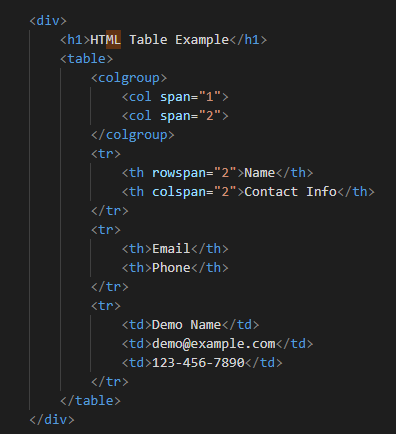
OUTPUT OF ABOVE EXAMPLE:
| Name | Contact Info | |
|---|---|---|
| Phone | ||
| Demo Name | [email protected] | 123-456-7890 |
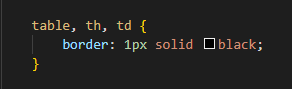
How To Add a Border:
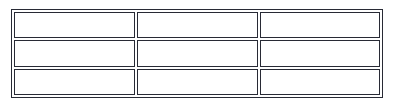
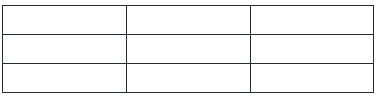
To add a border, use the CSS border property on table, th, and td elements:
Collapsed Table Borders:
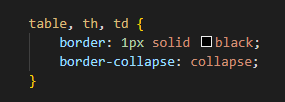
To avoid having double borders like in the example above, set the CSS border-collapse property to collapse.
Dotted Table Borders:
With the border-style property, you can set the appearance of the border.
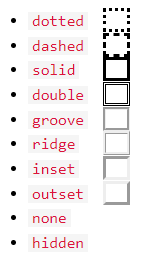
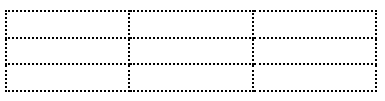
Table Sizes:
HTML tables can have different sizes for each column, row or the entire table.
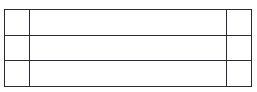
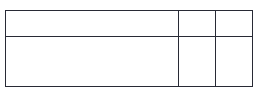
Table Headers:
HTML tables can have headers for each column or row, or for many columns/rows.
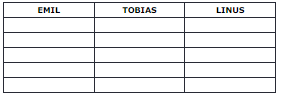
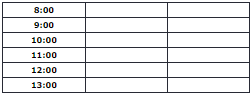
Table Padding & Spacing:
HTML tables can adjust the padding inside the cells, and also the space between the cells.
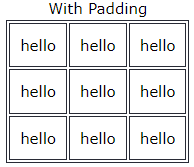
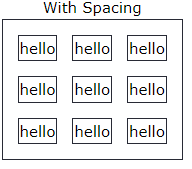
Cell padding is the space between the cell edges and the cell content.
To add padding on table cells, use the CSS padding property:
To add padding only above the content, use the padding-top property.
And the others sides with the padding-bottom, padding-left, and padding-right properties: