How to Run the code of HTML?
HTML Editor
- Notpad
- Notpad++
- Sublime
- Visual Studio
All HTML documents must start with a document type declaration:<!DOCTYPE html>.
The HTML document itself begins with <html> and ends with </html>.
Most HTML elements have an opening tag <tagname> and a closing tag </tagname>.
HTML provides the basic structure of a web page. This includes elements like headings,paragraphs, links, images, lists, tables, and forms.
The two most used extensions of HTML documents are . html and . htm.
How to Run code?
Follow these steps to run the HTML code and get output of your HTML code.- Open Visual Studio or any other text editor like Notpad,Notpad++,Dreamweaver etc.
- Write some html code like this,This is demo of html code.
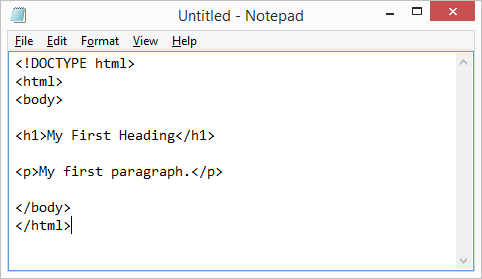
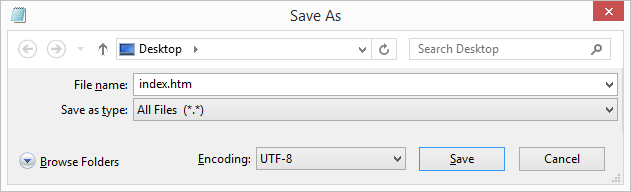
- Before saving the file, change the file name as ither .html or .htm as file
extension.
- Open the HTML file in your browser To run a HTML file.
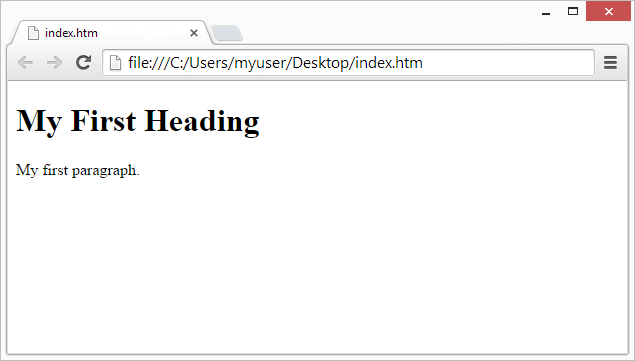
- The browser automatically understands your code and displays it.